What Teams Actually Does, Minus the Myths
A plain reading of how a teams meeting really runs, what teams 365 licensing covers, and where o365 file sharing quietly saves — or costs — your week.
Six Things Everyone Gets Wrong About the Collaboration Suite
Myth: the chat app and the subscription are the same product
People say "we use Teams" the way they say "we use email," as if it were a single app someone installed. It is not. The chat client sitting in your taskbar is the visible surface of a subscription bundle, and the thing most offices call teams 365 is a licensing arrangement that decides which features that client is even allowed to show you. Two colleagues can open the identical app and see different buttons, because one of them sits on a plan that includes webinars and the other does not.
This matters the moment something stops working. A missing recording button is rarely a bug; it is usually a plan boundary or an admin policy. Knowing which of the two you have hit changes who you ask and how long the fix takes. Our topic pages separate the client, the subscription and the admin policy layer so you can tell them apart in under a minute.
Myth: a teams meeting is just a video call with extra steps
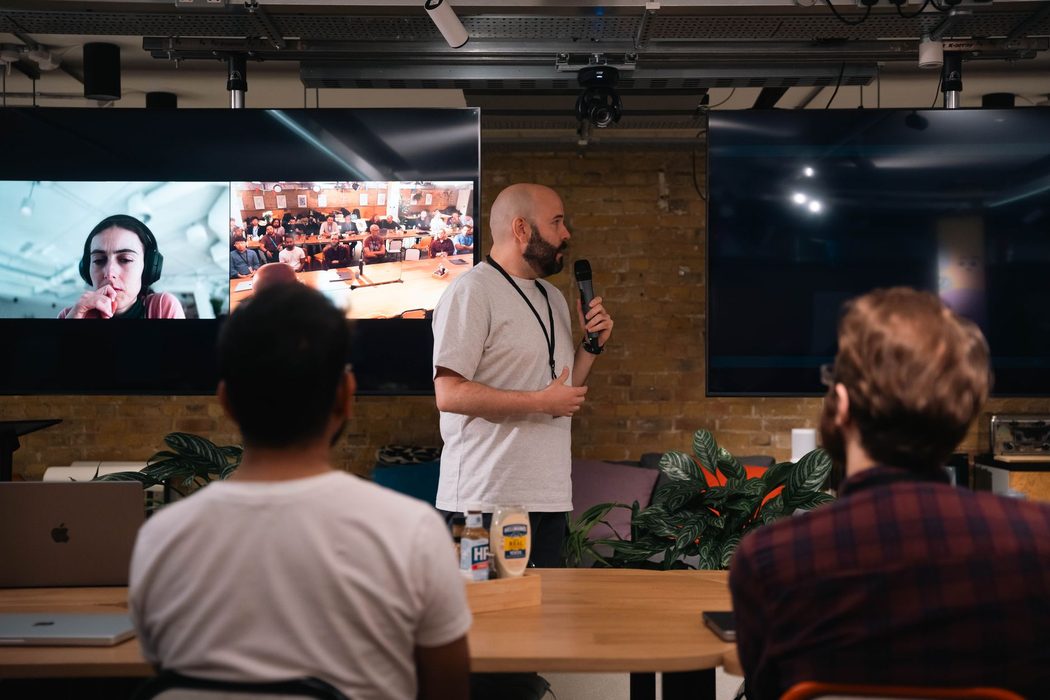
Treat a teams meeting as a phone call with pictures and it will behave like one: nobody prepares, nobody writes anything down, and the only artifact afterwards is a vague memory. The feature set is built around the opposite assumption. The invitation carries a chat thread that exists before the call and survives it. The shared file opened during the call is the same file everyone edits the next morning. Notes, recording, transcript and the follow-up discussion all hang off one object.
Teams that use it that way report a different rhythm rather than a different tool. The agenda goes in the invite body. Links go in the chat before anyone joins. Decisions get typed into the notes while they are still being made, not reconstructed on Friday. None of that requires a premium tier. It requires treating the meeting as a container for work instead of a slot in a calendar, and it is the single change that moves the most hours.
Myth: o365 storage is a shared drive with a web page on top
The most expensive misunderstanding in the whole stack is the belief that o365 cloud storage is a network folder you reach through a browser. People keep working the way they did in 2010: download, edit locally, rename the file with their initials and a date, and email it back. Within a week there are nine versions and no authority. Version chaos is not a platform failure. It is a habit that the platform was specifically designed to make unnecessary, and that nobody was ever told to stop.
Co-authoring means the file has one address and everyone edits it there. Version history replaces the initials-and-dates convention entirely. Sharing a link instead of an attachment means permissions travel with the document rather than being surrendered at the first forward. Our o365 collaboration guide walks through the switch folder by folder, including the awkward middle period where half the department is still mailing attachments.
Myth: more channels means better organization
The instinct when a workspace gets noisy is to create another channel. It almost never helps. A sprawl of thinly used channels splits the audience for every message, so people post in the wrong place, repeat themselves in chat, and eventually stop reading any of it. Findability does not come from granularity; it comes from a naming convention people can predict and a small number of rooms that are actually busy.
The same is true of the security conversation. Most workspace breaches in small organizations do not involve a clever attack. They involve a guest account that was added for one project in March and never removed, or a file link set to anyone-with-the-link because it was faster at the time. Permissions hygiene is dull, takes about twenty minutes a quarter, and prevents the majority of what people fear. We cover the review checklist on the security page, in the order an office manager would actually work through it.
How a Workspace Rollout Actually Unfolds
Week one: name what you already have
Before touching settings, write down which plan each group is on. Half of all teams 365 complaints are feature gaps between tiers that nobody mapped. An hour with the admin license list prevents a month of arguing about a button that was never included.
Week two: move the files before the conversations
Migrate the shared drive first. If documents still live on a server while chat lives in the cloud, every o365 link points somewhere people cannot reach and the old habits survive. One home for files, announced once, with the old folder set to read-only.
Week three: build the channel map on paper
Decide the structure away from the software. Which teams exist, who is in them, what each channel is for, and the naming rule. Ten well-used channels beat sixty empty ones. Create them only after the map survives a reading by someone outside the project.
Week four: fix the meeting habit
Agree what a teams meeting looks like here: agenda in the invite, notes in the notes pane, recording on or off by default, cameras optional. Written down in one paragraph. Culture set in month one holds; culture corrected in month six does not.
Month two: audit guests and links
Run the first permissions review while the workspace is small enough to read. Remove guest accounts from finished projects, replace open links with named access, and set an expiry default. Repeat quarterly. This is the whole of practical o365 security for most offices.
Month three: add integrations, carefully
Only now connect the ticketing tool, the CRM or the signing app. Add-ons layered onto an unsettled workspace multiply confusion; layered onto a settled one they remove steps. Add one, wait two weeks, then decide whether anyone outside the pilot noticed.
What people get wrong, answered plainly
Is a teams meeting just a video call with extra steps?
That is the most common misread. A teams meeting is a record, not a broadcast: it carries its own chat thread, file folder, recording and transcript, and all of that survives after the last person hangs up. The live call is the shortest part of its life. The value shows up a week later, when somebody searches the meeting chat for the decision instead of re-asking it by email.
Do guests need a paid seat to attend?
No. Anyone holding the link can join a teams meeting from a browser — clients, candidates, contractors, your accountant. Licensing governs hosting, recording, webinar capacity and admin controls, not attendance. The expensive mistake is buying seats for people who only ever show up and listen. Count who actually schedules, records and administers before anyone sizes a plan for you.
Are o365 and teams 365 two different products?
They are not competing products. O365 is the older shorthand for the cloud subscription bundle; the suite was renamed later, and teams 365 is informal shorthand people use for the collaboration-first plans sitting inside that same bundle. One directory, one sign-in, one set of files. If a reseller quotes o365 while a colleague argues about teams 365, you are almost certainly discussing the same tenant.
Does o365 back up my documents automatically?
Replication is not backup, and this myth costs companies real weekends. Your files are copied across datacenters so a failed disk never reaches you — that protects against hardware loss, not against someone emptying a folder, a bad sync, or ransomware encrypting everything the account can touch. Deleted items sit in a recycle bin for a retention window your admin sets, then they are gone.
Aren't channels just group chats with a different label?
Private chat belongs to the people in it and dies with them. A channel belongs to the team: it has its own files tab, its own membership, and a history a new hire can read on day one instead of begging for forwards. The practical test is simple — if the answer would be useful to somebody who joins in March, it does not belong in a direct message.
Can I work on o365 files when the internet drops?
Yes, with one caveat people learn the hard way. The desktop sync client keeps a local copy you can edit offline; it reconciles when you reconnect. If a colleague edited the same paragraph meanwhile, you get a conflict copy rather than a silent merge. Decide in advance which files are synced locally, and keep the shared, actively co-authored ones in the cloud.
Is this site independent, and how does it pay for itself?
TeamsWorkspace is an independent resource. We do not sell software, licenses, consulting or support, and nothing on this site is for purchase. Some links to third-party services are referral links, and they are disclosed where they appear. That arrangement never decides what we publish — the teams 365 guidance here is written the same way whether a link earns anything or not.
Three corrections worth repeating
Cloud replication protects against hardware failure. It does not protect against a user deleting the wrong folder — different problems, different controls.
CISA, Secure Cloud Business Applications (SCuBA) Technical Reference Architecture
Multi-factor authentication belongs on every business account by default, not as an option reserved for cautious administrators.
NIST Special Publication 800-63B, Digital Identity Guidelines
A referral link has to be disclosed clearly, in plain language, right beside the recommendation it supports.
FTC Endorsement Guides, 16 CFR Part 255
The vocabulary that decides your settings
- Tenant
- Your organization's own instance of the o365 cloud: one directory of accounts, one set of admin policies, one boundary around your files and conversations. Almost every setting you argue about is applied at this level.
- Channel
- A named workspace inside a team with its own files, membership and conversation history. Unlike a private chat, it outlives the people in it, so newcomers inherit context instead of asking for forwards.
- Co-authoring
- Two or more people editing one document at the same time, each seeing the other's cursor and changes. The single cloud copy is why emailed attachments remain the slowest way to collaborate in o365.
- Meeting lobby
- A holding area where external or unverified attendees wait until a host admits them. Who bypasses the lobby varies by policy, so check the setting before any teams meeting covering confidential material.
- Version history
- The stored record of earlier saves of a file, letting you roll back a bad edit in seconds. It is not a defense against account compromise or a mass deletion that ages past retention.
- Guest access
- Permission that lets somebody outside your tenant open a team, channel or file using their own work account. Access is logged and revocable, which beats emailing copies you can never pull back.
- Retention policy
- An administrator rule setting how long chats, channel messages and documents are kept before deletion or archiving. It quietly determines what a search can still recover long after a project closes.
- Conditional access
- A rule that weighs who is signing in, from what device and what location, then allows, blocks or challenges the attempt. It is the backbone of most sensible teams 365 security rollouts.
Start with the problem you have this week
Nothing here is for sale. Pick the brief that matches your actual mess — a sprawling channel tree, a teams meeting nobody records, an o365 rollout with no plan — and read the facts before the next vendor call.